Sep 24, 2012
iOS application custom localization
Apple do not recommend to allow user to switch application language another way then switch it in system settings either I do. Sometimes (rare) it makes sense to allow user to switch the language of the specific application. Anyway, before do it – please, think twice; it’s really goes against Apple’s language policy, so benefits from such a decision should overcome the drawbacks.
So, if if you want to switch your application language, use the following code:
// Use "nil" to fallback to system settings
void loadCustomLocalization(NSString * locCode) {
  NSString * appleLanguages = @"AppleLanguages";
  if (locCode) {
    [[NSUserDefaults standardUserDefaults] setObject:[NSArray arrayWithObject:locCode] forKey:appleLanguages];
  } else {
    [[NSUserDefaults standardUserDefaults] removeObjectForKey:appleLanguages];
  }
  [[NSUserDefaults standardUserDefaults] synchronize];
}
Call loadCustomLocalization() before UIApplicationMain() call, for example:
void loadLocalization() {
  const int result = [[[NSUserDefaults standardUserDefaults] stringForKey:@"language"] intValue];
  NSString * language = 0;
  switch (result) {
    case 1: language = @"ru"; break;
    case 2: language = @"en"; break;
  }
  loadCustomLocalization(language);
}

int main(int argc, char *argv[]) {
  loadLocalization();
  NSAutoreleasePool * pool = [[NSAutoreleasePool alloc] init];
  int retVal = UIApplicationMain(argc, argv, nil, nil);
  [pool release];
  return retVal;
}
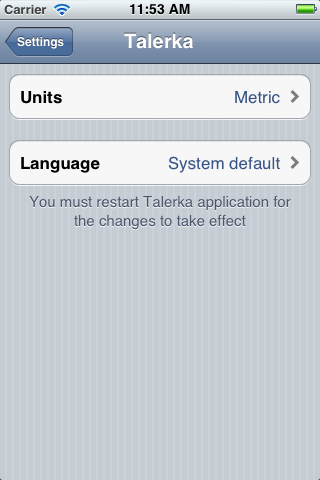
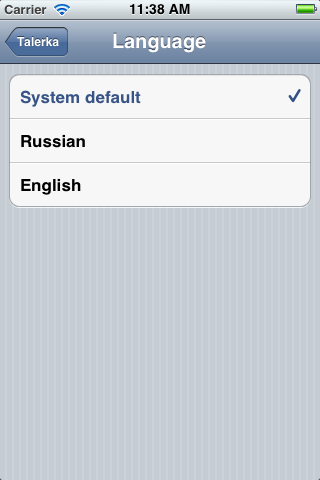
My application has three values for language setting in application settings menu.
User may choose between system language, Russian or English.
But remember: very often this is not a kind of freedom you want to give to your customers; the real freedom is to provide all application content on all possible languages (but it costs a lot).